Open one photo
Choose a JPG, PNG or WebP up to 10 MB and 40 megapixels. Select the output canvas you need, such as 1080 × 1080, 1080 × 1350 or 1080 × 1920.
This page is available in English.
Keep the whole photo in the frame.
Fit your full photo into an Instagram-sized canvas without stretching it. Choose a square, portrait or vertical preset, add a solid or blurred background, and download a JPEG without a watermark.
Choose your imageDrag & drop or click to choose a file. Supports JPG, PNG, WebP up to 10MB.
Keeps the whole photo without stretching. Empty space uses your chosen color.
Only preset sizes and fit mode are shared. Your image, custom size and focus stay private.
Your selected sizes will appear here.
No account. No watermark. Images stay on your device.Exports contain your image only. Preview guides are never included. Save your downloads before closing this page.
Same photo. Three ways to fit.
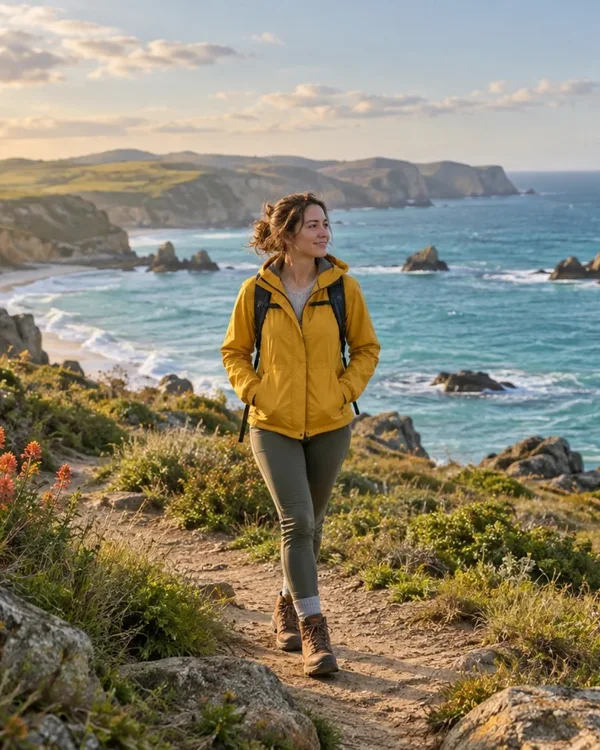
Fills each frame. Edges outside the frame are removed.
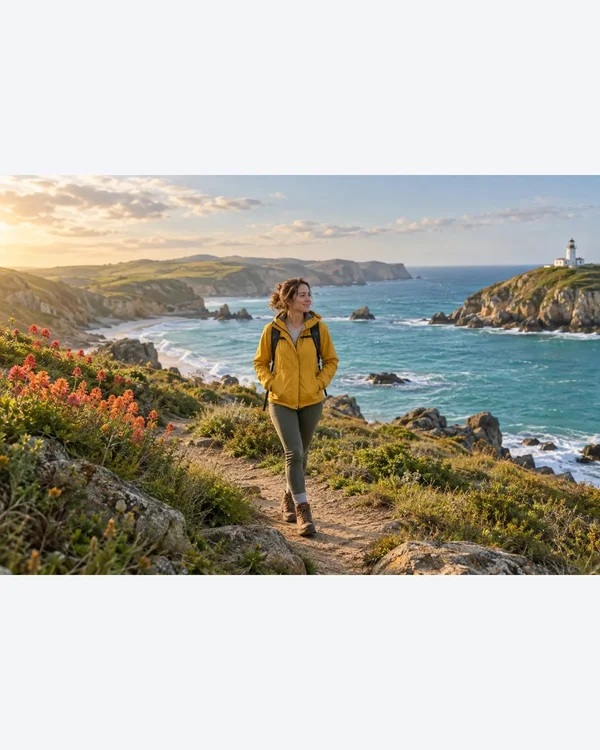
Keeps the whole photo without stretching. Empty space uses your chosen color.
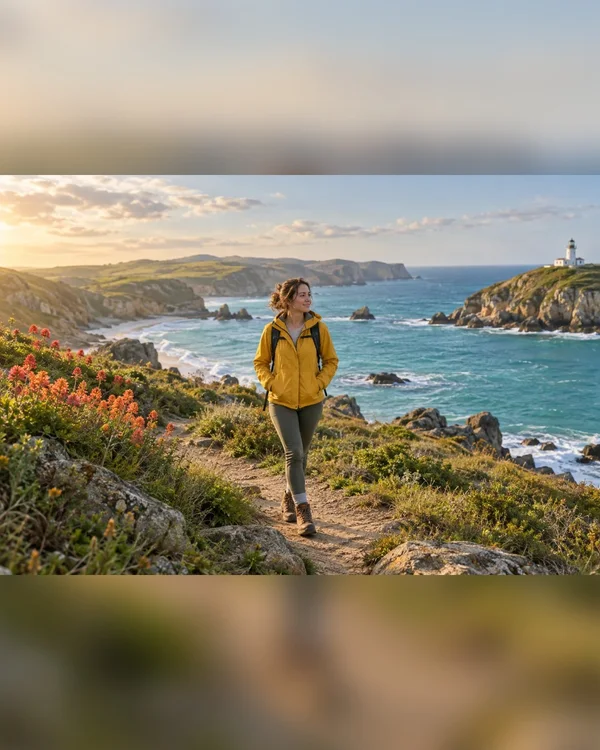
Keeps the whole photo over a blurred copy of itself.
Choose a JPG, PNG or WebP up to 10 MB and 40 megapixels. Select the output canvas you need, such as 1080 × 1080, 1080 × 1350 or 1080 × 1920.
Use Fit whole image to preserve every edge and add a solid background where needed. Blur background places the same full photo over a blurred copy. Both keep the original proportions.
Download the individual JPEG or a ZIP of selected sizes. Preview the file in Instagram before posting: the feed, profile grid and cover previews can show different crops.
These are export presets. Always check the final display in the app where you post.
| Platform | Format | Pixels |
|---|---|---|
| Square post | 1080 × 1080 Use this size | |
| Portrait post | 1080 × 1350 Use this size | |
| Tall photo · 3:4 | 1080 × 1440 Use this size | |
| Story / Reel cover | 1080 × 1920 Use this size | |
| Landscape post | 1080 × 608 Use this size |
Choose the canvas size for your post and use Fit whole image. If the photo has a different shape, AICrop adds a background to fill the remaining space. Your original photo stays in proportion and its edges are retained in the exported JPEG.
Only when the photo already has the same aspect ratio as the output. Otherwise, keeping the full photo and avoiding distortion requires extra background space. Blur background can make that space less prominent; Crop to fill removes edges instead.
Choose the preset for the surface you are preparing: a square or portrait canvas for a photo post, or 1080 × 1920 for a vertical layout. The presets are export options, not a guarantee that every Instagram surface displays the entire image. Check its posting preview.
This tool controls the exported file, while Instagram controls how it appears in a feed, grid or cover preview. Keep essential text and faces away from the edges and check the relevant preview inside Instagram before posting.
AICrop handles one source photo at a time. You can export that photo in several sizes, then open the next photo and use the same preset. The tool does not batch-process several input photos or publish a carousel for you.
No. Exports are JPEG, so transparent areas become the background color. Choose a suitable color before downloading and inspect the saved result. Images and ZIP files are processed locally in your browser.