Open your finished artwork
Choose one JPG, PNG or WebP up to 10 MB and 40 megapixels. Use the original design when possible; enlarging a small image cannot recover missing detail.
Keep your channel in the frame.
Resize your channel banner to 2560 × 1440 pixels. Check the central text and logo safe area, adjust the crop, and export a JPEG under 6 MB.
Choose your imageDrag & drop or click to choose a file. Supports JPG, PNG, WebP up to 10MB.
Fills each frame. Edges outside the frame are removed.
Only preset sizes and fit mode are shared. Your image, custom size and focus stay private.
Your selected sizes will appear here.
No account. No watermark. Images stay on your device.Exports contain your image only. Preview guides are never included. Save your downloads before closing this page.
Same photo. Three ways to fit.
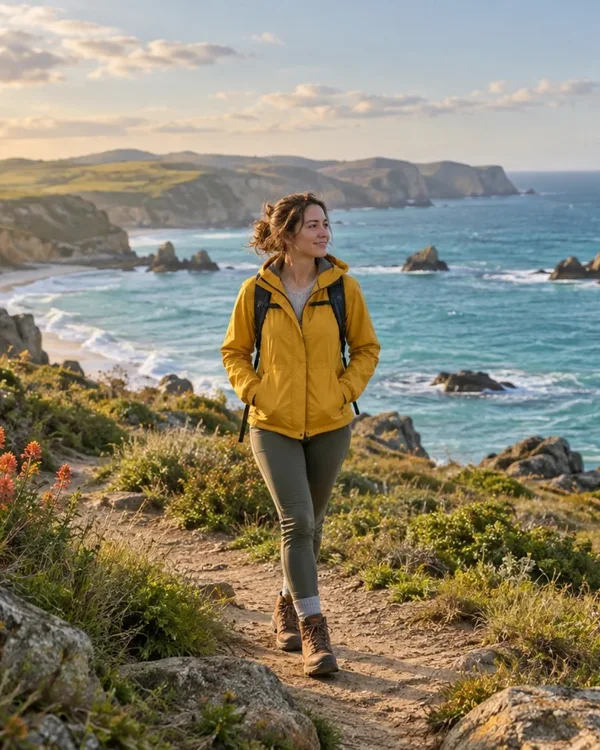
Fills each frame. Edges outside the frame are removed.
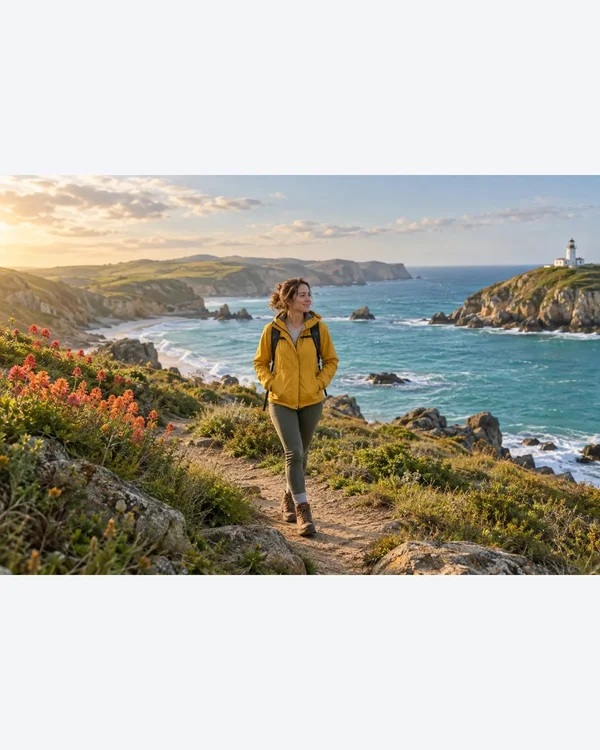
Keeps the whole photo without stretching. Empty space uses your chosen color.
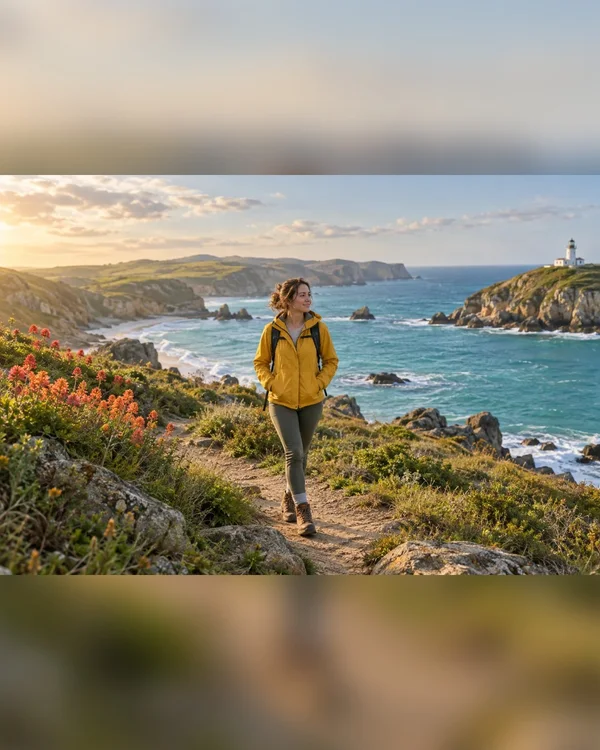
Keeps the whole photo over a blurred copy of itself.
Choose one JPG, PNG or WebP up to 10 MB and 40 megapixels. Use the original design when possible; enlarging a small image cannot recover missing detail.
Keep essential text and logos inside the safe-area guide. Crop to fill covers the frame; Fit whole image preserves the source with a background. Check the guide after either choice.
Save the banner JPEG. AICrop adjusts JPEG quality to the 6 MB limit. Check YouTube’s upload preview before publishing; the guide is not part of the export.
These are export presets. Always check the final display in the app where you post.
| Platform | Format | Pixels |
|---|---|---|
| YouTube | Channel banner | 2560 × 1440 Use this size |
YouTube recommends 2560 × 1440 pixels. The minimum is 2048 × 1152 with a 16:9 aspect ratio, and the file must be no larger than 6 MB. This preset exports the recommended canvas.
Keep them inside the centered guide. YouTube specifies 1235 × 338 pixels at the minimum 2048 × 1152 canvas, equivalent to approximately 1544 × 423 on a 2560 × 1440 image. Check YouTube’s own preview too.
YouTube displays different parts of the canvas on different screens. Fit whole image keeps your source inside the exported file, but cannot make every part visible on a phone. Move essential wording into the safe area in your design editor if necessary.
No. The box is only a preview guide. The downloaded JPEG contains your artwork without guide lines, labels or a watermark.
Yes. Fit whole image preserves the proportions and fills unused canvas with a solid color. Blur background keeps the full image over a blurred copy. Neither mode can rearrange text or a logo within the original artwork.
Source: YouTube Help. Specifications checked October 10, 2026.