Open one JPG, PNG or WebP, up to 10 MB and 40 megapixels. One source image can produce several output sizes.
FREE ONLINE IMAGE TOOL · NO SIGN-UP
Social Media Image Resizer
One image. Every frame.
Resize one photo for Instagram, YouTube, Facebook and more. Choose your sizes, adjust each crop, and download them together — free, with no watermark.
Choose your imageOne image, multiple sizesCrop or keep the full photoProcessed on your device
What do you want to make?
YOUR IMAGE WORKSPACE Local-only
01
Upload an image
Drag & drop or click to choose a file. Supports JPG, PNG, WebP up to 10MB.
02
Choose how it fits
Fills each frame. Edges outside the frame are removed.
Only preset sizes and fit mode are shared. Your image, custom size and focus stay private.
03
Select output sizes
Selected sizes: 5Custom dimensions
Your selected sizes will appear here.
No account. No watermark. Images stay on your device.Exports contain your image only. Preview guides are never included. Save your downloads before closing this page.
Compare crop, fit and blur
Same photo. Three ways to fit.
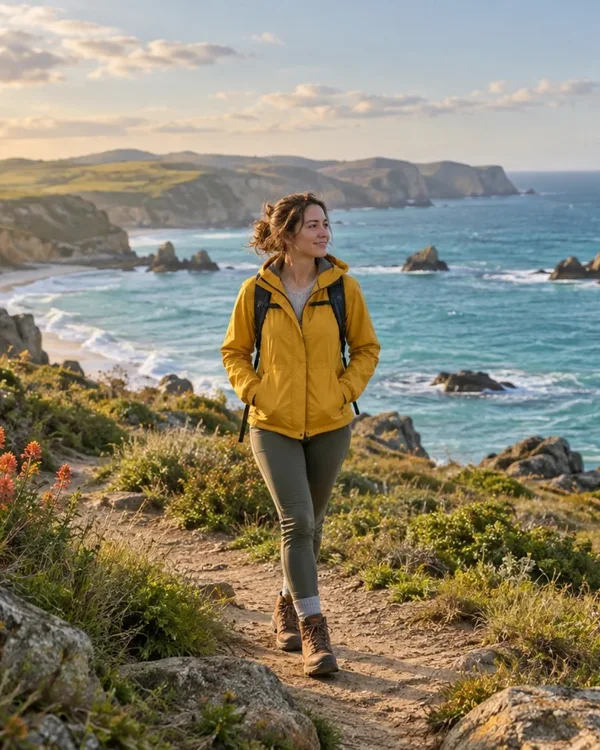
Fills each frame. Edges outside the frame are removed.
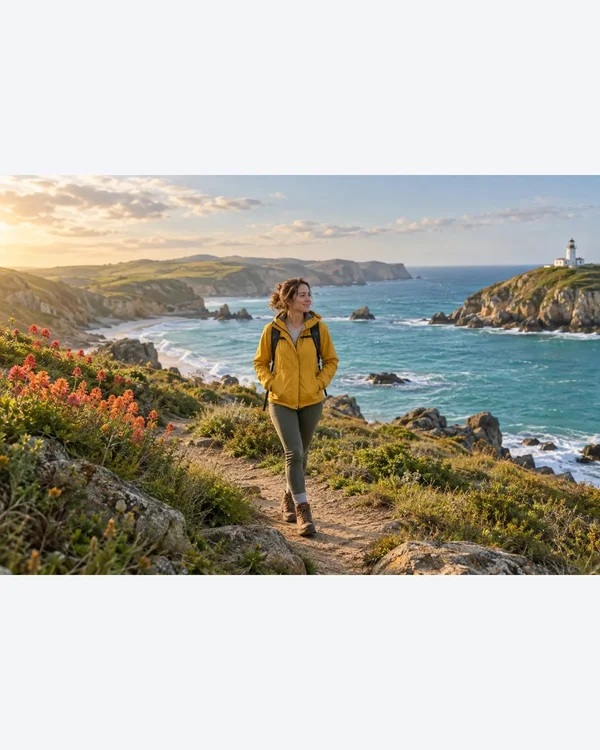
Keeps the whole photo without stretching. Empty space uses your chosen color.
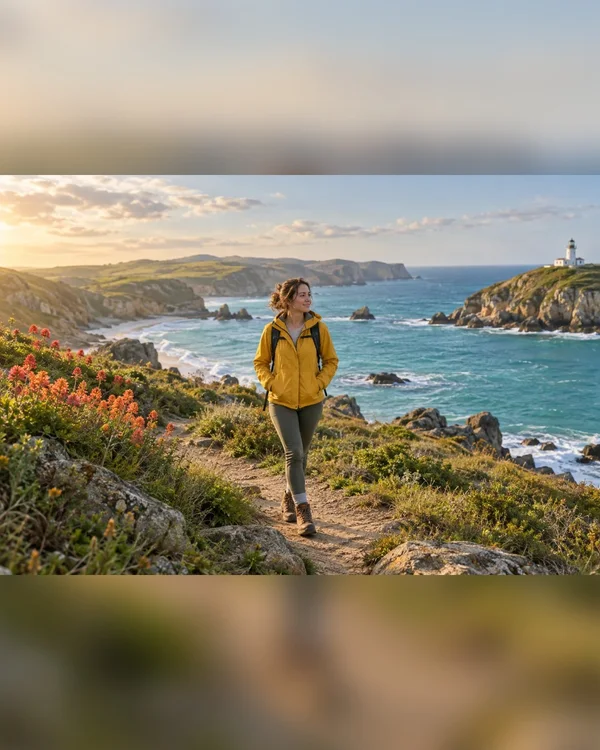
Keeps the whole photo over a blurred copy of itself.
How to resize one image for multiple platforms
Choose crop, fit or blur. Fit keeps the original proportions. Crop removes edges. Click your image to set the shared focus, or adjust each preview with its sliders.
Check every preview, then download individual JPEGs or a ZIP. Processing stays in your browser. Optional AI subject detection can be wrong, so check its result.
Choose image sizes for your post
These are export presets. Always check the final display in the app where you post.
| Platform | Format | Pixels |
|---|---|---|
| Square post | 1080 × 1080 Use this size | |
| Portrait post | 1080 × 1350 Use this size | |
| Tall photo · 3:4 | 1080 × 1440 Use this size | |
| Story / Reel cover | 1080 × 1920 Use this size | |
| Landscape post | 1080 × 608 Use this size | |
| X / Twitter | Post | 1200 × 675 Use this size |
| X / Twitter | Header | 1500 × 500 Use this size |
| Portrait post | 1200 × 1500 Use this size | |
| Link image | 1200 × 630 Use this size | |
| YouTube | Thumbnail · 720p | 1280 × 720 Use this size |
| YouTube | Thumbnail · 4K | 3840 × 2160 Use this size |
| YouTube | Channel banner | 2560 × 1440 Use this size |
| TikTok | Vertical cover | 1080 × 1920 Use this size |
Common resizing questions
Is it free?
Yes. No account or watermark. Website analytics are on by default and can be turned off in the footer. We do not collect images or filenames.
Does enlarging improve sharpness?
No. Increasing the dimensions cannot restore missing detail. Transparent areas are filled with a background color when exported as JPEG.
Which platforms are supported?
13 presets for Instagram, X, LinkedIn, Facebook, YouTube and TikTok, plus custom sizes. Check how your export displays on the platform before posting.